Device Overview
This page introduces the device hardware controls. Use the diagram below to identify the control buttons before Wi-Fi setup or daily use.
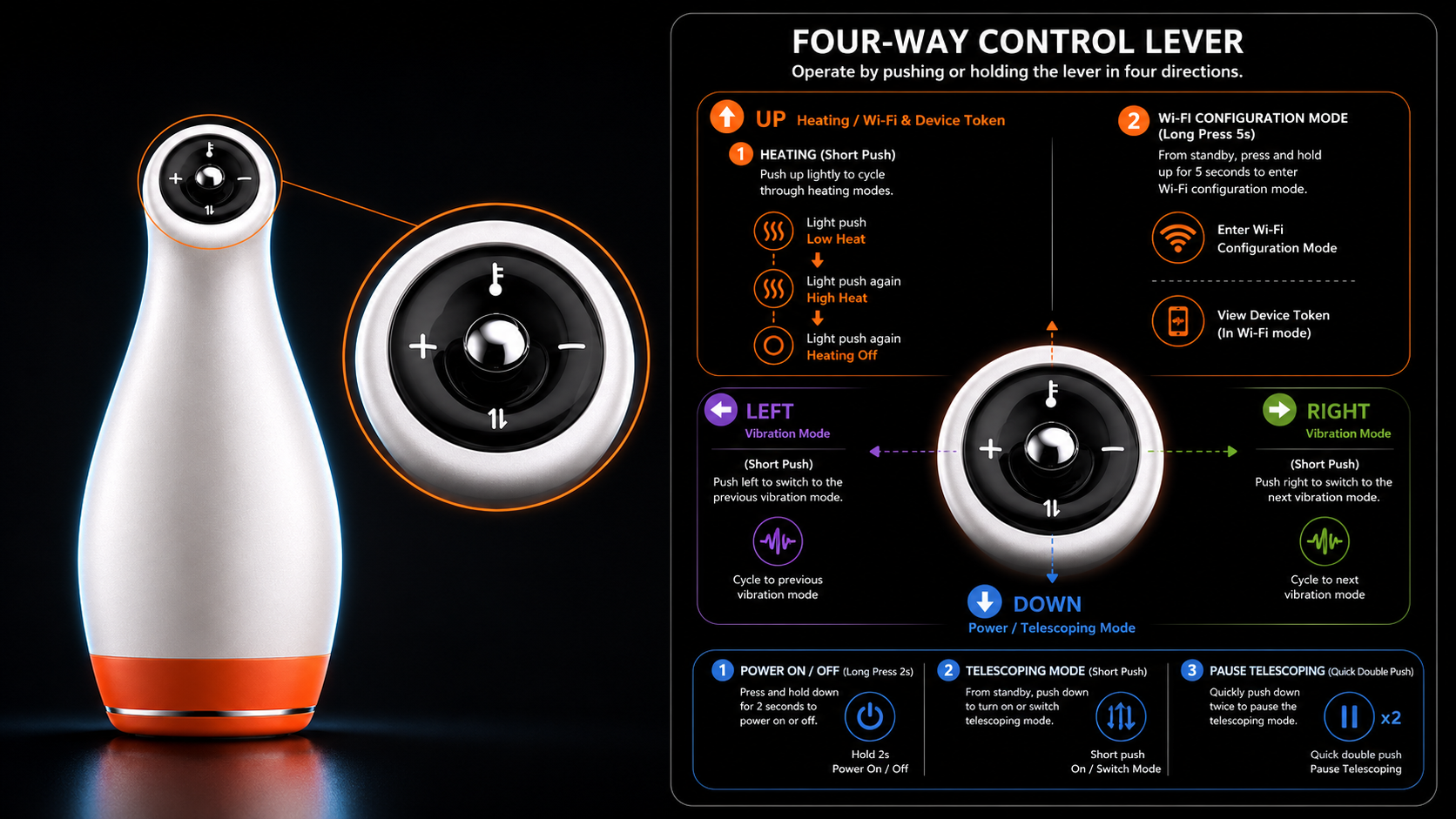
Hardware Controls
Use the hardware buttons when you need to power the device, adjust operation, or enter Wi-Fi configuration mode.
For Wi-Fi setup, press and hold the Up button for 5 seconds until the light flashes quickly. Then continue to Device Wi-Fi Setup and Token.